
Google’s Pixel Tablet has brought about an expansion of devices and features, and among them is a standout addition: the default weather app that comes pre-installed on the Pixel Tablet. This app is designed to rival the weather apps offered by Apple and Samsung, aiming to provide users with a comprehensive and engaging weather experience. This article will delve into the various features and functionalities of the Google Pixel Tablet weather app, which goes by Nowcast. By exploring the capabilities of this app, users can gain a deeper understanding of its potential and how it can enhance their weather-related interactions. Whether staying updated on current conditions, accessing detailed forecasts, or receiving immediate precipitation information, Nowcast aims to deliver a seamless and user-friendly weather experience for Pixel Tablet users.
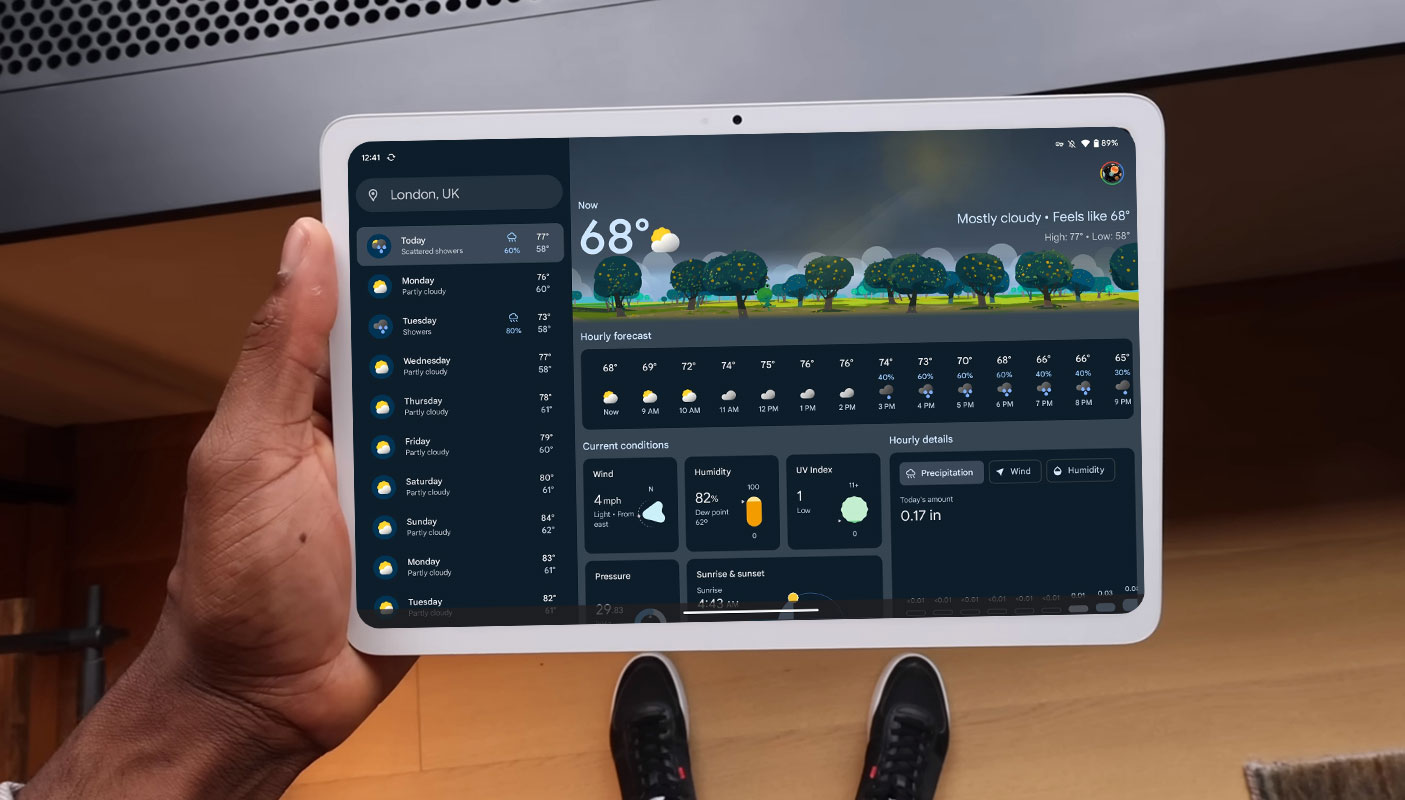
Nowcast Google Weather app
In the past, Pixel phones could display current weather information on widgets. However, accessing more detailed weather data required navigating to a primary web page-like interface. Now, with the introduction of the Pixel Tablet, Google has addressed this limitation by launching a dedicated weather app called Nowcast.

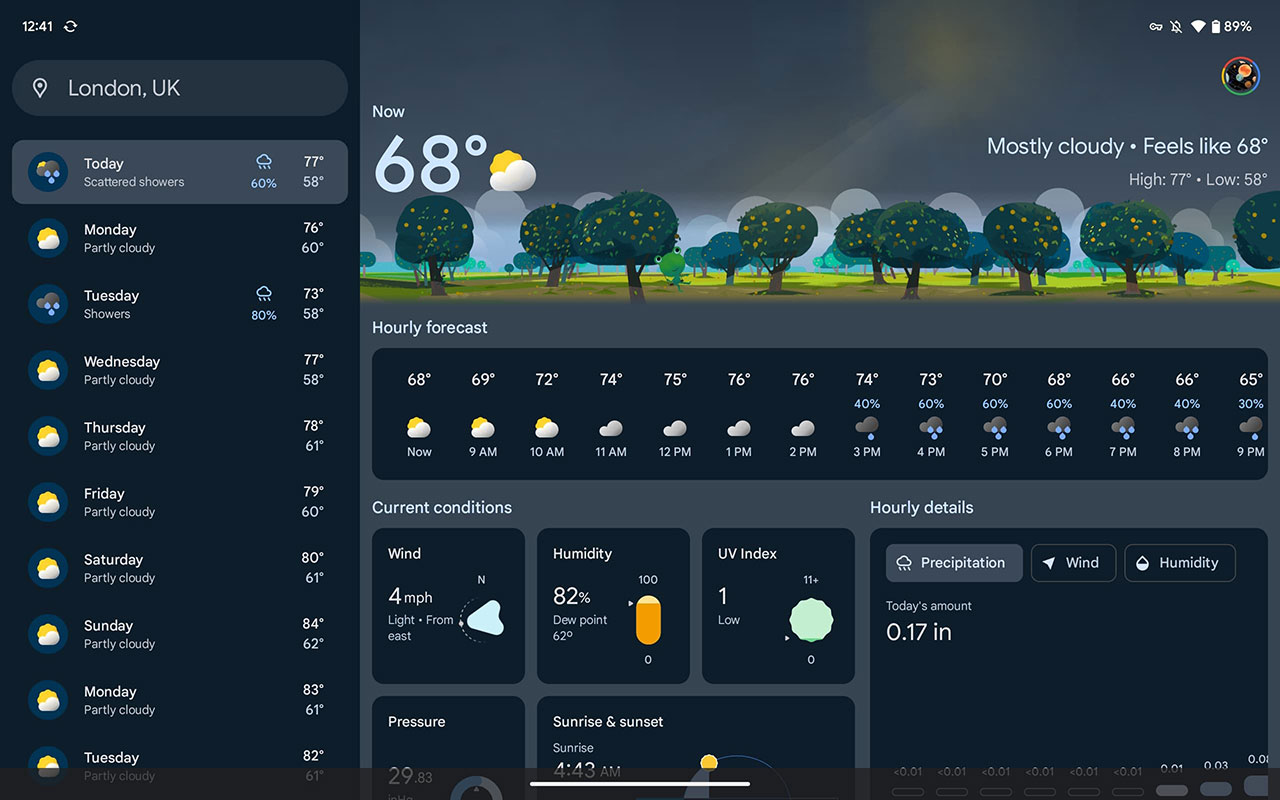
The new weather app on the Pixel Tablet boasts a visually appealing design while retaining the playfulness of the previous weather experience. Instead of a primary screen, users are greeted with a comprehensive interface that provides a range of weather information at a glance. The app can be accessed through widgets, and there is no need to search for a separate app icon.
Detailed Weather Information
Nowcast offers a wealth of detailed weather information to help users plan their day. It provides a 10-day and 24-hour forecast, ensuring users are prepared for any weather changes. Additionally, the app offers reports on wind speed, humidity levels, barometric pressure, and UV index. Users can also access data regarding the current sun position, sunrise, and sunset times.
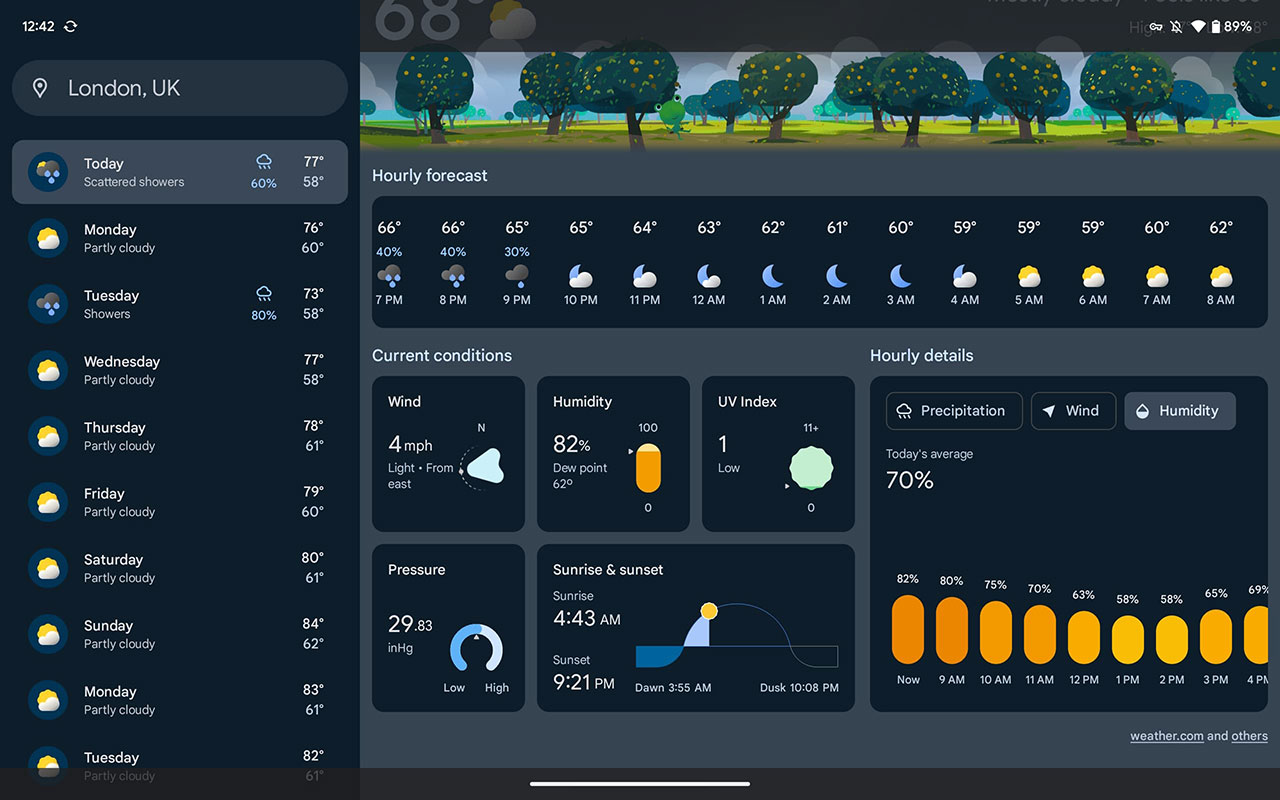
The app’s user-friendly interface presents hourly information about precipitation, wind, and humidity. This breakdown allows users to understand weather patterns throughout the day. These features are conveniently displayed on a single screen, accompanied by engaging animations reflecting current weather conditions.
Upcoming Precipitation Forecasts
One notable feature of the Nowcast app is its ability to provide information on upcoming precipitation. Users can access immediate forecasts that detail the intensity and duration of rainfall. The app can predict rain up to 12 hours in advance. These forecasts are possible using data from the National Oceanic and Atmospheric Administration (NOAA) and other reliable sources.
To ensure a clutter-free experience, the app only displays upcoming precipitation information when it is relevant to the user’s location. If no precipitation events are expected nearby, the data will not be shown.
Expansion to More Devices
Google has confirmed that the new and improved weather experience will be available on additional devices. We didn’t know specific details and timelines. The company is actively gathering user feedback to refine the app’s design. Currently, the app supports 26 languages and is accessible on the Pixel Tablet and Fold.
FAQs
Can I access the Nowcast weather app on devices other than the Pixel Tablet?
Google has confirmed that the Nowcast weather app will be available on more devices. While the company has not provided specific details or timelines, they are actively working on expanding its availability.
What about the Nowcast app’s data updates?
The Nowcast app updates its weather data multiple times per hour. This frequent updating ensures users access to the most up-to-date weather information.
Is the Nowcast app available in multiple languages?
Yes, the Nowcast app currently supports 26 languages. This allows users from different regions to access the app in their preferred language.
Does the Nowcast app provide information about sunrise and sunset times?
The app displays the current sun position and provides information about sunrise and sunset times. This feature allows users to plan their day according to daylight hours.
Can the Nowcast app predict upcoming precipitation accurately?
The Nowcast app uses data from reputable sources such as the National Oceanic and Atmospheric Administration (NOAA) to forecast upcoming precipitation. Although no forecast can guarantee absolute accuracy, the app strives to provide reliable information about the intensity and duration of rainfall up to 12 hours in advance.
Wrap Up
With the launch of the Pixel Tablet weather app, Google has enhanced its weather capabilities, providing users with a delightful and informative experience. The Nowcast app combines a visually appealing design with a wealth of weather information, ensuring users are ready for weather conditions. From the 10-day and 24-hour forecasts to the detailed breakdown of precipitation, wind, and humidity, the app offers comprehensive weather data in a user-friendly format. As Google continues refining the app based on user feedback, we can expect its availability to expand to more devices.

Selva Ganesh is a Computer Science Engineer, Android Developer, and Tech Enthusiast. As the Chief Editor of this blog, he brings over 10 years of experience in Android development and professional blogging. He has completed multiple courses under the Google News Initiative, enhancing his expertise in digital journalism and content accuracy. Selva also manages Android Infotech, a globally recognized platform known for its practical, solution-focused articles that help users resolve Android-related issues.




Leave a Reply